
Available Now
Clash Marker
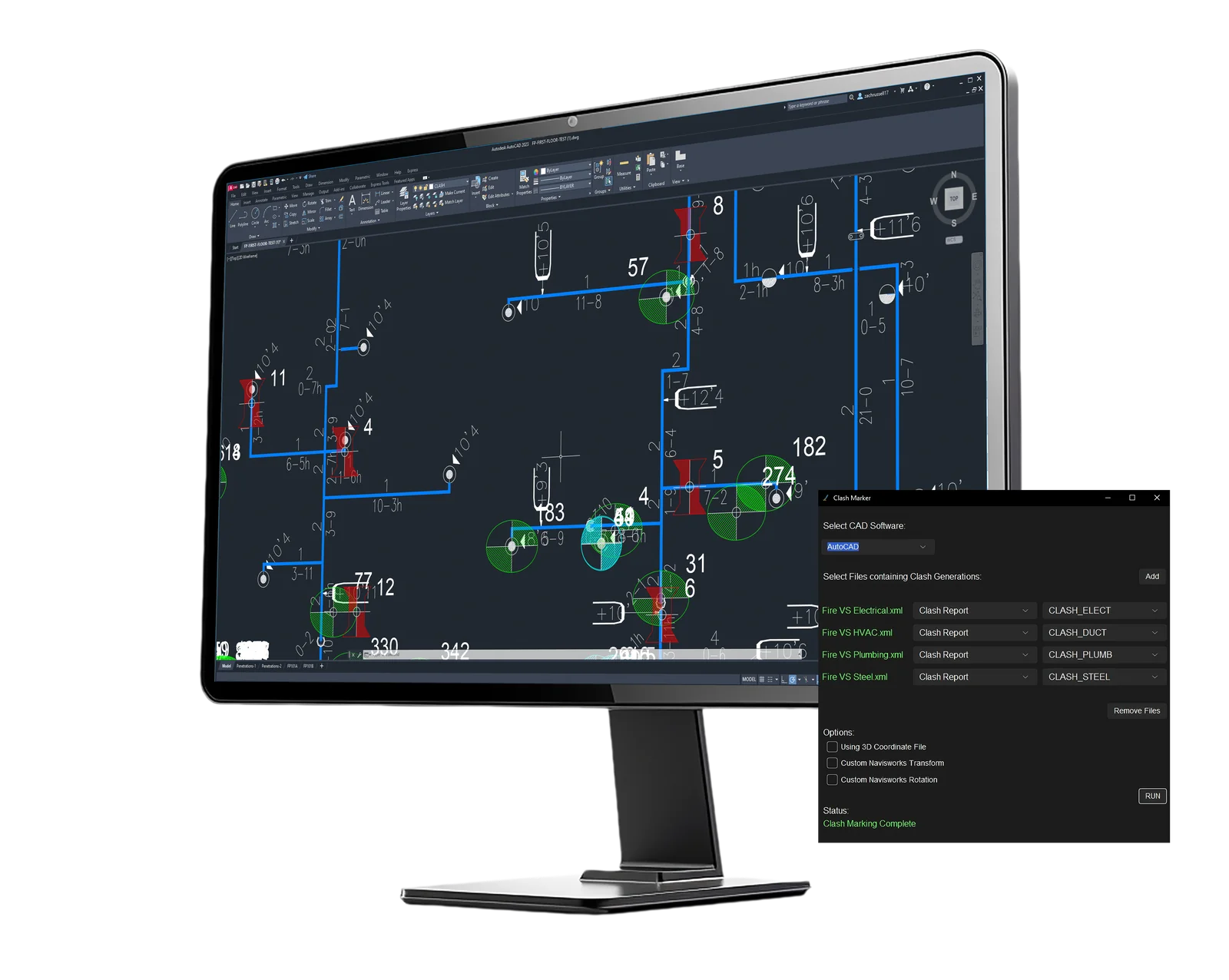
Clash Marker by Transparent Software brings every clash and viewpoint from Navisworks, Forma, BIM Track and Procore into your model at once.
Clash Marker is available for purchase here:
Get Clash MarkerGet a 2-week free trial here:
Try Clash MarkerThis isn't Easter. No more scavenger hunts.
In the fast-paced, stressful industry that is construction design, anything that can be streamlined should be streamlined. In the world of BIM, finding clashes is a time consuming process that causes headaches for many designers, engineers, and coordinators. Clash Marker cuts down the time it takes to find clashes, resulting in quicker clash resolution and faster project turnaround.
Clash Marker Overview
Clash Marker Full Uncut Demo
Clash Marker utilizes data from your clash coordination software to mark where your clashes are directly on your model. It also uses that data to visualize your viewpoints on your model. Allowing you to see their exact location and orientation. Clash Marker’s Revit plug-in includes tools to help you strip down your model and focus on individual clashes and viewpoints.
How Clash Marker works
Export your reports
Export clash reports from Navisworks, or create viewpoint reports with the Clash Marker Navisworks plug-in. Issues from Forma (formerly ACC Docs), BIM Track and Procore work too.
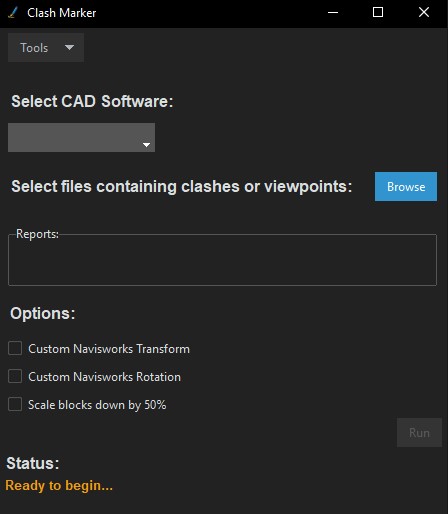
Load them into Clash Marker
Add as many clash reports as you need and give each one its own trade symbol and color.
Mark your CAD drawing
Every clash and viewpoint is marked in AutoCAD, BricsCAD, SprinkCAD or HydraCAD at its exact location and orientation. Working with a transformed Navisworks model? Set a custom origin and rotation.
Or mark your Revit model
Import the generated .cmc file with the Clash Marker Revit plug-in. Clash markers are placed using your project coordinates and show up in every view, and each viewpoint gets its own isolated 3D view.
Need more context in Revit? Clash geometry brings a snapshot of model geometry from Navisworks straight into your Revit model, without any other linked files.
Book a Clash Marker Demo
Want to get a closer look at Clash Marker and have your questions answered? Book a live demo with us today.
Live
Number of Clashes Marked:
—
Number of Viewpoints Marked:
—
Why do you need Clash Marker?
It's simple. You spend approximately 70% of your time digging around your model to a single clash so that then you can spend the other 30% of your time working on clearing it.
This process is repeated for every clash you have, which on a large model, could mean over a thousand different clashes in total.
Clash Marker gives you back that time you would spend on finding that clash, and it does it for all your clashes all at once. Now all the time you spent looking for clashes can be used for more productive tasks.
Clash Marker speeds up the clash resolution process by approximately 30-50%.
Compatibility
Clash Marker is currently compatible with multiple different cutting edge software in the AEC industry.
Clash Marker can read from:



Clash Marker can mark in:




Learn more about Clash Marker for Revit and Clash Marker for 2D CAD.
System requirements
- Operating system: Windows 10 or later
- Navisworks: 2022–2026
- Revit: 2022–2025
- Newer Navisworks and Revit versions: support is actively being added
- AutoCAD, BricsCAD, SprinkCAD and HydraCAD: all versions
- Included: the Clash Marker desktop app, Navisworks plug-in and Revit plug-in

Take a look around
NOTE: This is a simplified model showcasing a single viewpoint marked by Clash Marker in an isolated view. This is not representative of Clash Marker's full abilities.
Pricing and free trial
$599.99 per year or $64.99 per month, per license.
- Buy multiple licenses in one order.
- Enterprise licensing is available for orders of 5 or more licenses: pay with alternative payment methods, with purchase orders or invoices, and have a single administrator oversee all licenses and distribute them to different people. Contact us for enterprise licensing.
- Free trial: 2 weeks from software activation, one per email. Your license key and download link are emailed to you.
Like what you see? Get Clash Marker here:
Get Clash MarkerStill unsure? Try Clash Marker here:
Try Clash Marker